
Multi-Format Image Converter – Convert JPG, PNG, WEBP, BMP, TIFF, AVIF Online
Convert Any Image Format
Upload your image and convert it to your desired format instantly
Click or Drag & Drop to Upload Image
Supports JPG, PNG, WEBP, BMP, TIFF, AVIF
File Information
Name:
Size:
Processing your image...
How to Use This Tool
Select Your Image
Click on the upload area to choose your image file. We support JPG, PNG, WEBP, BMP, TIFF, and AVIF formats.
View File Information
After selection, the file name and size will be displayed for your reference.
Choose Target Format
Select your desired output format from the dropdown menu.
Set File Size (Optional)
If you need a specific file size, enter the value in KB. Note that lower sizes may reduce quality.
Convert & Download
Click the convert button and your image will be processed. Download will start automatically.
Key Features
Multi-Format Support
Convert between JPG, PNG, WEBP, BMP, TIFF, and AVIF formats seamlessly.
File Information
View detailed file information including name and size before conversion.
Custom File Size
Set your desired output file size in KB for optimal storage and sharing.
One-Click Download
Download your converted image with a single click after processing.
High Quality
Maintain original image clarity and resolution throughout the conversion process.
Cross-Device Compatible
Works perfectly on desktop, tablet, and mobile devices.
Tips for Best Results
- Use high-resolution images for the best output quality. Higher resolution source images produce better results.
- Large files may take slightly longer to process. Please be patient with high-resolution images.
- For smaller output size, reduce the custom KB value carefully to avoid visible quality loss.
- Ensure your browser is updated and supports HTML5 features for smooth conversion experience.
- Different formats have different strengths - JPG for photographs, PNG for graphics with transparency, WEBP for web optimization.
Frequently Asked Questions
Is this tool free to use?
Yes, our image converter is completely free to use with no hidden charges or limitations.
Are my images uploaded or stored online?
No, all image processing happens locally in your browser. Your images are never uploaded to any server, ensuring complete privacy.
Can I convert multiple images at once?
Currently, our tool supports converting one image at a time. For batch processing, you would need to convert each image individually.
What is the maximum file size supported?
The tool can handle most image sizes, but very large files (over 20MB) may cause performance issues on some devices.
Which image formats are accepted and which formats can I convert to?
We support all major formats: JPG, PNG, WEBP, BMP, TIFF, and AVIF. You can convert between any of these formats.
Advertisement
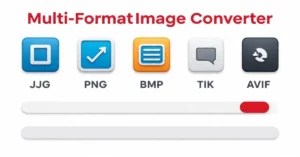 image100+tools Multi-Format Image Converter: Convert JPG, PNG, WEBP, BMP, TIFF, AVIF online. Fast, high-quality, custom KB download!